
5 Shopify Revenue Leaks Growing Stores Should Fix Before Buying More Traffic
 Official Shopify Partner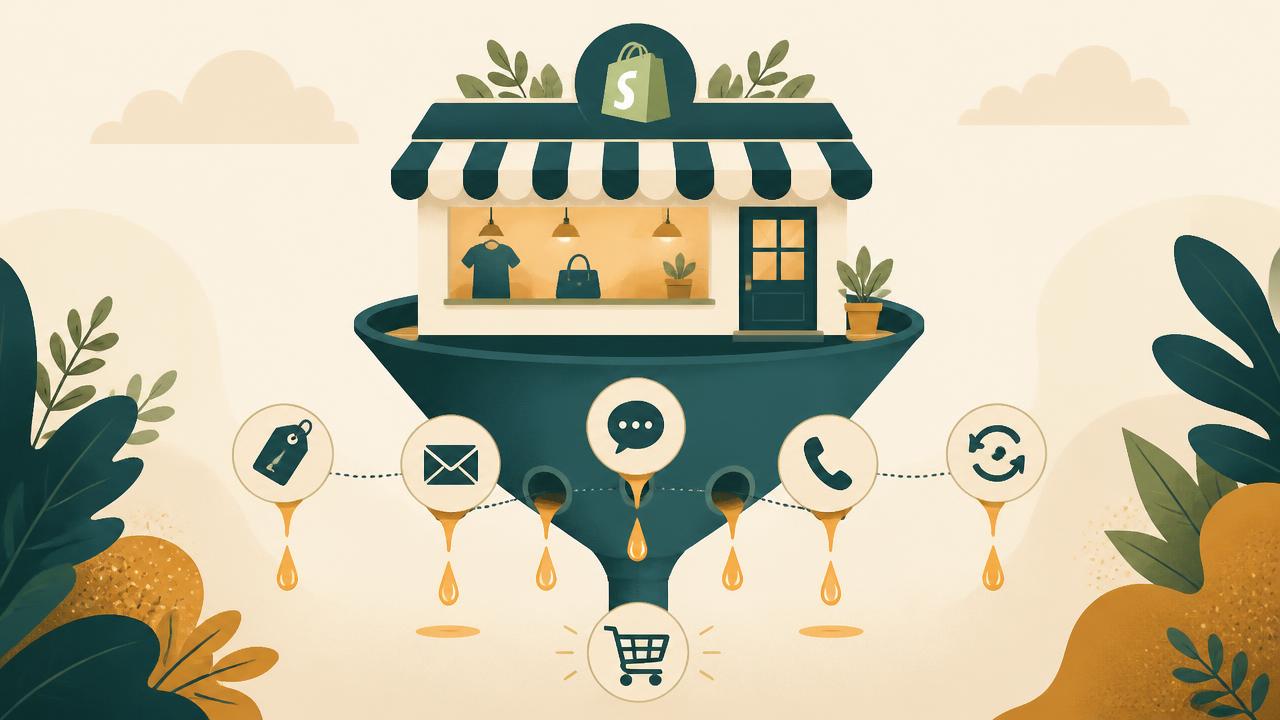
Most Shopify brands try to grow by sending more traffic to the store.
That can work, but only if the store is ready to convert, support, and retain that traffic. If wholesale buyers are still handled manually, visitors leave without becoming leads, product questions go unanswered, calls are missed, and first-time customers never come back, more traffic only makes those leaks more expensive.
The problem is not theoretical. Shopify's 2026 checkout optimization guide cites Baymard's average cart abandonment benchmark of 70.22% and Dynamic Yield's April 2026 average of 77.68%. In simple terms, a large share of shoppers already leave before completing the purchase. Adding more traffic without fixing the leaks can make that loss bigger.
This is not a head-to-head comparison of unrelated apps. It is a practical way to identify five common revenue leaks in growing Shopify stores and understand which type of tool can help with each one.
Quick comparison of the 5 Shopify revenue leaks
| Revenue leak | What it looks like | App category | Example apps | When to fix it |
|---|---|---|---|---|
| Wholesale buyers are handled manually | You manage B2B pricing through emails, draft orders, or discount codes | Wholesale pricing and B2B buyer access | BMT, Wholesale Gorilla | When retailers or bulk buyers need different pricing |
| Visitors leave without becoming leads | Traffic comes in, but visitors leave without subscribing or buying | Popups and lead capture | Poptin, Privy | When paid or organic traffic is not being captured |
| Product and order questions go unanswered | Buyers ask about shipping, sizing, returns, or order status and wait too long | Live chat and customer support | Chatway, Tidio | When pre-sale questions slow down purchases |
| Phone calls are missed | Customers call, but the team cannot answer every call | Phone support and AI voice support | Ringly, Aircall | When calls are tied to support or sales |
| Customers buy once and do not return | First-time buyers do not leave reviews, join loyalty, or reorder | Retention, reviews, and loyalty | Growave, Smile.io | When repeat purchase is weak |
Revenue leak 1: Wholesale buyers are handled manually
This leak shows up when retailers, stockists, distributors, clinics, salons, or local stores start asking for special pricing. The team replies manually, shares price sheets, creates draft orders, or uses discount codes that were never meant for proper B2B pricing.
At first, this feels manageable. But as wholesale demand grows, manual pricing slows down buyers, creates inconsistent discounts, and makes reordering harder than it should be.
For a growing Shopify store, the fix is not just "give a discount." The fix is to build a wholesale workflow where approved buyers can log in, see the right pricing, place bulk orders, follow order limits, and reorder without waiting for the founder or support team.
Apps that can help
BMT B2B Wholesale Pricing — BMT is built for Shopify merchants that need customer-specific pricing, tiered pricing, volume discounts, wholesale registration, buyer approvals, hidden prices, B2B login, min/max order limits, Request for Quote, net terms, shipping controls, and quick order pages. It is a good fit when a store wants practical wholesale workflows inside Shopify without moving into a heavy enterprise B2B setup. It makes the most sense for brands selling both DTC and wholesale from one store.
Wholesale Gorilla — an established Shopify wholesale app for merchants that need wholesale pricing, customer groups, net terms, custom shipping, quantity breaks, order limits, and buyer-friendly wholesale workflows. It works well for stores that want a dedicated wholesale layer on top of an existing Shopify store. Merchants comparing wholesale apps should look closely at pricing, required features, and how much setup support they need.
Also read: 11 best Wholesale Gorilla alternatives you can try.
When not to add a wholesale app
Do not add a wholesale app too early. If you only have one or two wholesale buyers and Shopify's native setup already covers your workflow, start simple. Add a dedicated wholesale app when pricing rules, approvals, order limits, buyer access, or reordering become harder to manage manually.
Revenue leak 2: Visitors leave without becoming leads
A lot of Shopify stores focus only on the final sale. But most visitors do not buy on the first visit, especially if they are comparing products, checking shipping, waiting for a discount, or browsing from mobile.
This leak shows up when traffic is coming in, but visitors leave without subscribing, joining a list, filling a form, claiming an offer, or showing intent. If you do not capture that visitor, you often have to pay again to bring them back.
Lead capture should not mean throwing aggressive popups at every visitor. The better approach is to match the offer to the moment: exit intent, first-order discount, wholesale inquiry, back-in-stock request, newsletter signup, or product quiz.
Apps that can help
Poptin — helps Shopify stores create popups, forms, exit-intent campaigns, announcement bars, and lead capture flows. It is useful when a store wants to turn more visitors into email or SMS leads before they leave. The strongest use case is simple: capture intent without needing a custom-built onsite campaign system.
Privy — a popular ecommerce marketing app for popups, email capture, SMS, and basic follow-up campaigns. It is useful for stores that want lead capture and simple lifecycle messaging in one place, especially merchants who want to grow their list without building a complex marketing stack.
When not to add a popup app
Do not add popups just because every store has them. If the offer is weak, the product page is unclear, or the site is slow, a popup will not fix the real problem. Lead capture works best when the visitor already has a reason to care.
Revenue leak 3: Product and order questions go unanswered
This leak is easy to miss because it often happens before checkout. A customer wants to know about sizing, material, shipping time, returns, product compatibility, order status, or wholesale availability, but the store only has an email address or a slow support process.
Pre-sale questions usually come from high-intent buyers. If they do not get an answer quickly, they may delay the purchase or leave completely.
The fix is not always a large helpdesk. Many growing stores just need faster answers, basic automation, and a way to handle product or order questions without losing context.
Apps that can help
Chatway — a live chat and AI support app for Shopify stores that want a simpler way to answer product, order, and customer questions. It suits stores that need live chat, FAQ support, WhatsApp options, and conversation handling without moving into a large helpdesk system. For stores where shoppers ask questions before buying, faster replies can directly support conversion.
Tidio — a live chat and chatbot platform for ecommerce stores that want a mix of automation and human support. It is useful when a merchant wants to answer common questions quickly while still giving customers a way to reach a person.
When not to add a live chat app
Do not add live chat if nobody can manage it. A chat widget with slow replies can hurt trust more than it helps. Start with clear FAQs, basic automation, and realistic response expectations before expanding support coverage.
Revenue leak 4: Phone calls are missed or hard to manage
Some Shopify stores assume phone support does not matter anymore. But depending on the category, customers may still call about order status, returns, delivery issues, product questions, store hours, or wholesale inquiries.
This is especially true when the purchase is urgent, expensive, technical, or B2B-related. A missed call can mean a missed sale, a frustrated customer, or a wholesale buyer who moves on.
The fix is to understand whether phone calls are actually part of your buyer journey. If they are, you need a better way to answer, route, log, or automate common calls.
Apps that can help
Ringly — an AI phone support app for ecommerce brands that need help answering customer calls, covering use cases like order status, returns, product questions, and store policy questions. It is most relevant when calls matter, but the team cannot answer every call manually.
Aircall — a business phone system for teams that need call routing, call management, analytics, and support workflows. It is better suited for stores with a more structured sales or support team.
When not to add a phone support app
Do not add a phone system just because it sounds useful. First check call volume, missed calls, and the type of questions people ask by phone. If customers rarely call, this is probably not your first leak to fix.
Revenue leak 5: Customers buy once and do not return
This is one of the most expensive leaks because it hides behind new customer acquisition. A store may keep getting orders, but if every order depends on new traffic, growth becomes harder over time.
Shopify's 2026 ecommerce growth guide frames growth around conversion optimization, customer retention, international expansion, and unified commerce, not just traffic acquisition. That supports the main point here: before scaling traffic, fix the systems that help your store convert, support, and retain more of the demand you already have.
This leak shows up when customers buy once and never come back. There may be weak review collection, no loyalty program, no referral flow, no wishlist, no post-purchase offer, and no reason for customers to engage again.
The fix is to build retention into the store experience. That can include reviews, loyalty points, referrals, wishlist reminders, VIP tiers, post-purchase flows, and repeat-purchase campaigns.
Apps that can help
Growave — a retention app for Shopify stores that want loyalty, reviews, wishlist, referrals, and customer engagement tools in one place. It fits brands where reviews, saved products, referrals, and customer loyalty can influence future purchases.
Smile.io — focuses on loyalty programs, rewards, referrals, VIP tiers, and points. It is useful for merchants that want a dedicated loyalty engine rather than a broader retention suite, and works best when the store has products customers can reasonably come back to buy again.
When not to add a loyalty app
Do not install a loyalty app before checking whether your product has natural repeat-purchase potential. For low-frequency or one-time purchase products, reviews and referrals may matter more than points. Retention tools work better when the product, post-purchase experience, and email flows are already strong.
How to choose which revenue leak to fix first
You don't need to install all these apps at once. That only adds cost, complexity, and more systems to manage.
Start with the leak closest to revenue.
- If wholesale buyers are asking for custom pricing, fix wholesale pricing first.
- If traffic is decent but lead capture is weak, fix email or SMS capture first.
- If buyers ask questions before purchasing, fix support first.
- If calls are being missed, fix phone support first.
- If customers do not return, fix retention first.
A lean Shopify stack should solve one active bottleneck at a time. Pick one leak, fix the workflow, measure the impact, and then add the next layer only when there is a real problem to solve.
Conclusion
Buying more traffic is tempting because it feels like the fastest way to grow. But for many Shopify stores, the bigger opportunity is fixing the leaks already inside the business.
If wholesale buyers are handled manually, visitors leave without becoming leads, questions go unanswered, calls are missed, and customers do not return, more traffic will not solve the real issue. It will just push more people into the same broken paths.
The smarter move is to diagnose the leak closest to money, fix that workflow, and then scale traffic once the store is ready to convert and retain more of it.
For stores expanding into wholesale, that often starts with pricing, buyer access, approvals, and ordering workflows — which is exactly what BMT B2B Wholesale Pricing is built for.
Current BMT capabilities
A connected wholesale workflow can close several of these gaps at once. BMT now combines customer-specific pricing, Request for Quote, quick ordering, order limits, net terms, invoicing on Expert and multilingual selling, and multi-currency support in one Shopify store.
Verified against the Shopify App Store listing on October 27, 2026: BMT is Built for Shopify and rated 5.0 from 26 reviews, all five-star. It supports 20 languages and works with Checkout, Customer accounts, Shopify POS, Shopify Admin, Klaviyo, discount and bundle apps, filter and search apps, and page builder apps.
- Free: One active pricing rule, one active hide-price/B2B-login rule, unlimited registration forms and SKUs, manual and tag-based approval, 50 CSV/XLSX bulk uploads monthly, and live chat and call support.
- Standard — $9.99/month or $99.90/year: Unlimited pricing rules and bulk uploads, minimum and maximum quantity and amount limits, multi-currency wholesale pricing, Shopify Markets, and unlimited hide-price/B2B-login rules.
- Advanced — $29.99/month or $299.90/year: All Standard features plus custom shipping rates, NET 15/30/60 payment terms, Request for Quote, a quick order page, product quantity increments, draft order integration, and tax-inclusive/exclusive prices.
- Expert — $49.99/month or $499/year: All Advanced features plus Shopify POS wholesale discounts, invoice generation, automatic invoice emails, Google Drive sync, Pricing APIs, and live chat and call support.
All paid plans include a 60-day free trial. Charges are billed in USD. Features depend on the selected plan; multilingual selling support does not imply that every plan includes invoicing.

Frequently Asked Questions
What are Shopify revenue leaks?
Shopify revenue leaks are gaps in your store's workflow that lose revenue you have already earned or attracted. Common leaks include wholesale buyers handled manually, visitors leaving without becoming leads, product and order questions going unanswered, missed phone calls, and customers who buy once and never return.
Should I fix revenue leaks before buying more traffic?
Usually yes. More traffic multiplies existing leaks. Shopify's 2026 checkout optimization guide cites Baymard's average cart abandonment benchmark of 70.22% and Dynamic Yield's April 2026 average of 77.68%, so a large share of shoppers already leave before buying. Fixing the leak closest to revenue makes new traffic cheaper to convert.
Which revenue leak should I fix first?
Start with the leak closest to revenue. If retailers ask for custom pricing, fix wholesale pricing first. If traffic is decent but lead capture is weak, fix email or SMS capture. If buyers ask questions before purchasing, fix support. If calls are missed, fix phone support. If customers do not return, fix retention.
Do I need a wholesale app for Shopify B2B pricing?
Not on day one. If you only have one or two wholesale buyers and Shopify's native setup covers your workflow, keep it simple. Add a dedicated wholesale app when pricing rules, buyer approvals, hidden prices, order limits, net terms, or reordering become hard to manage manually.
How does BMT B2B Wholesale Pricing help with the wholesale leak?
BMT gives Shopify merchants customer-specific pricing, tiered pricing, volume discounts, wholesale registration, buyer approvals, hidden prices, B2B login rules, min/max order limits, net terms, shipping controls, and quick order pages — so approved buyers can self-serve instead of emailing for price sheets.
How many apps should I install at once?
One at a time. A lean Shopify stack should solve one active bottleneck at a time. Pick one leak, fix the workflow, measure the impact, and add the next layer only when there is a real problem to solve.
Set it up in your store
Step-by-step guides for the features covered above.
- Create a wholesale registration form
- Configure registration form emails
- Add CAPTCHA to registration forms
- Set up a quick order form
Ready to grow your wholesale business?
Install on Shopify