
How to Create a Shopify Wholesale Registration Form and Approve B2B Customers
 Official Shopify Partner
Quick answer: You can create a Shopify wholesale registration form in two ways.
The first way is to use Shopify's native B2B company account request flow with the Shopify Forms app. This works well if you want buyers to submit a company request, then review and approve them inside Shopify.
The second way is to use a Shopify wholesale app like BMT B2B Wholesale Pricing. This is better if you want the registration form, customer approval, auto-tagging, wholesale pricing, hidden prices, order limits, and payment terms to work together in one setup.
In simple terms:
| Method | Best for | What it helps you do |
|---|---|---|
| Shopify native Forms + B2B | Stores using Shopify's native B2B company account flow | Collect company account requests, create company records, review and approve buyers |
| BMT B2B Wholesale Pricing app | Stores that want registration, approval, pricing, and access control in one place | Create wholesale forms, approve buyers, auto-tag customers, hide prices, apply B2B pricing, set limits and terms |
If you only need a basic B2B application form, Shopify's native route may be enough. If you want to control who sees wholesale prices and then apply customer-specific pricing after approval, an app like BMT is usually the more practical setup.
Why a wholesale registration form matters on Shopify
A Shopify wholesale registration form lets retailers, distributors, dealers, resellers, and other B2B buyers apply for access before they can see private wholesale pricing.
That matters because wholesale pricing should not be visible to every retail shopper.
If you show discounted B2B pricing publicly, you can create three problems fast:
- You weaken your retail margins.
- You confuse regular customers who do not qualify for wholesale pricing.
- You expose private pricing, payment terms, and product access to people who are not serious business buyers.
A registration form fixes that. It gives buyers a clear way to apply, and it gives you a simple approval process before you unlock wholesale pricing.
Shopify's own B2B documentation confirms that company account requests can be used to let new B2B customers request access, and when someone submits the form, Shopify can automatically create a company, company location, and customer record for review. (Shopify Help Center)
What to know before creating a Shopify wholesale registration form
Before you build the form, decide what the form is supposed to do.
Most merchants think, "I need a form." But the real workflow is bigger than that. You need to answer five questions first.
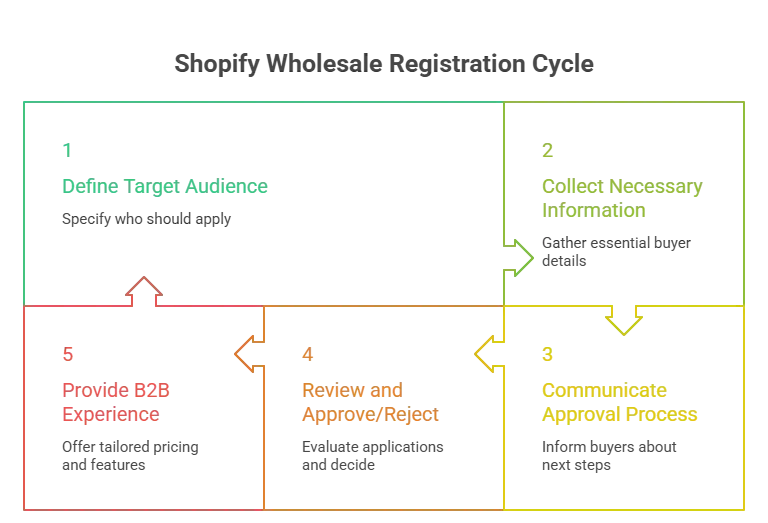
Who should be allowed to apply?
Be specific. Your form should clearly say who it is for.
For example:
- Retail stores
- Resellers
- Distributors
- Interior designers
- Salons or spas
- Dealers
- Stockists
- Corporate buyers
Wholesale buyers usually want to know if they qualify before they spend time filling out a form. A short line at the top of the page helps.
Example:
Apply for a wholesale account if you are a retailer, reseller, distributor, or approved business buyer interested in bulk pricing.
What information do you need to approve them?
A good wholesale registration form should collect enough information to qualify the buyer, but not so much that serious buyers abandon the form.
For US-focused Shopify stores, I would usually collect:
- Business name
- Contact person name
- Email address
- Phone number
- Website or social profile
- Business address
- Country and state
- EIN, resale certificate, or tax ID
- Type of business
- Estimated monthly order volume
- Products or collections they are interested in
- Message or notes
If you sell regulated products, region-specific goods, or products with tax exemptions, you may need extra fields. Keep those fields relevant.
What happens after they apply?
Do not leave buyers guessing.
Your form page should explain:
- How long approval usually takes
- Whether pricing is hidden before approval
- How approved buyers will get access
- Who they should contact if they have questions
Example:
We review wholesale applications within 1 to 2 business days. Approved buyers will receive login instructions by email. Wholesale pricing is only visible after approval.
This simple line reduces support questions.
How will you approve or reject buyers?
You need a review process.
For example:
- New form submission comes in.
- The buyer gets tagged as
b2b-pending. - You review their business information.
- If approved, you add
b2b-approved. - If rejected, you send a polite email or delete the request.
The exact process depends on whether you use Shopify's native B2B setup or an app like BMT.
What should approved buyers see?
Approval should trigger the right buying experience.
That may include:
- Wholesale pricing
- Customer-specific pricing
- Hidden product collections
- Bulk order page
- Minimum or maximum order limits
- Net payment terms
- Custom shipping terms
The form is only the first step. The real goal is to route approved buyers into the correct B2B buying flow.
Method 1: Create a wholesale registration form with Shopify's native tools
Shopify's native method uses Shopify Forms and company account requests.
This is the cleanest route if you already use Shopify's native B2B features and want buyers to request access as companies.
What you need before starting
Before you use Shopify's native method, you need:
- Shopify Forms app installed
- A supported Shopify plan with the B2B features you need
- Customer accounts configured for your B2B flow
- A decision between popup form and inline form
- A list of required company and customer fields
- A review process for company account requests
Shopify says you need to install the Shopify Forms app before setting up a company account request form. Shopify also notes that you can create either a popup or inline form. Inline forms are usually better for longer forms or dedicated signup pages, which is what most wholesale applications need. (Shopify Help Center)
Step 1: Install Shopify Forms
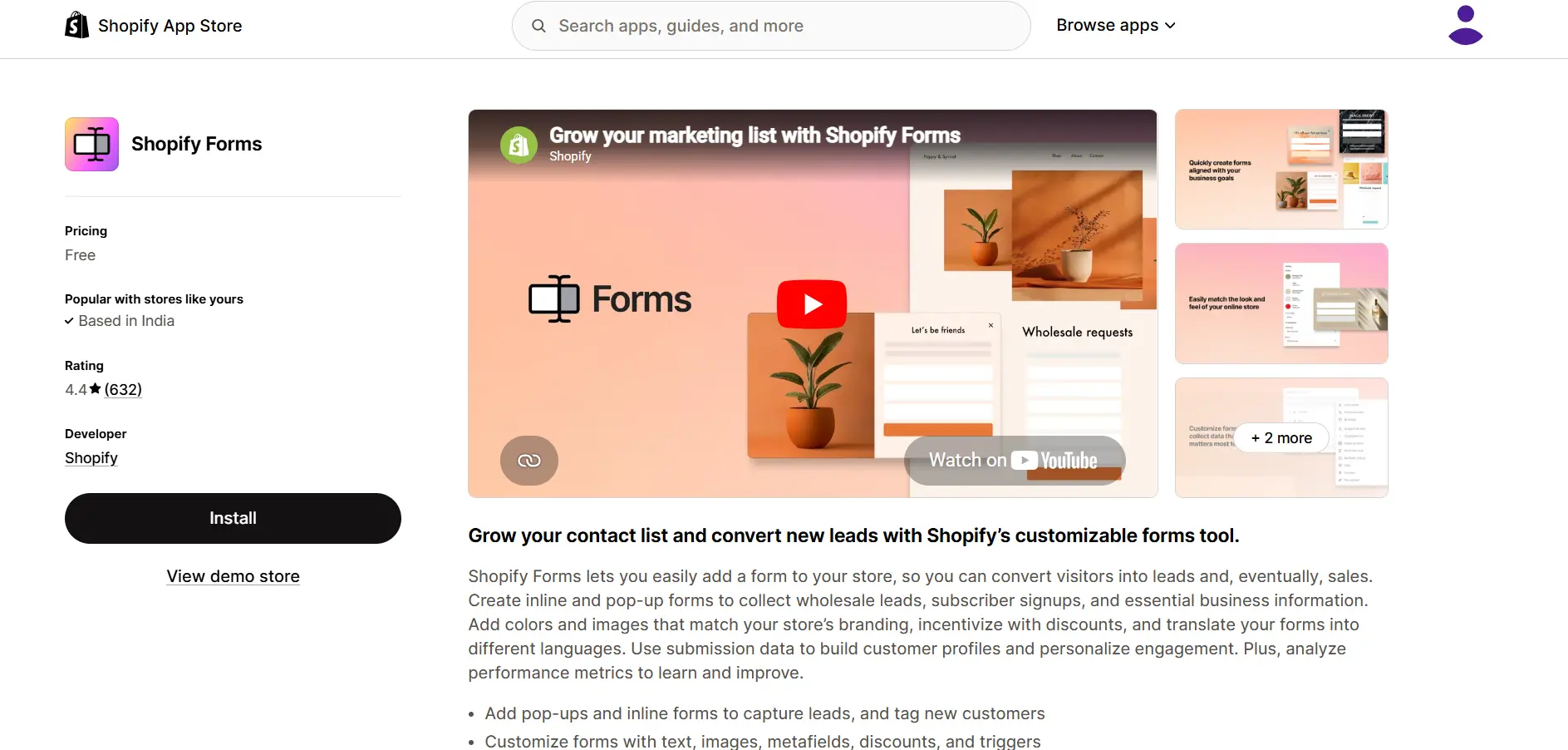
Start by installing the Shopify Forms app.
Then go to:
- Shopify admin → Apps → Forms
- Click Create form.
Choose either:
- Popup form
- Inline form
For wholesale registration, I recommend an inline form on a dedicated page.
Use a page like:
/pages/wholesale-application- or
/pages/b2b-registration
A popup can work for short email capture forms, but wholesale applications usually need more details. A dedicated page feels more serious and gives you room to explain the approval process.
Step 2: Create a company account request form
In Shopify Forms, create your form and name it something clear.
Use a name like:
- Wholesale Account Request
- B2B Registration Form
- Dealer Application
- Reseller Application
Then add the Company and customer field section.
This part matters.
Shopify says company name and email address are required for automatic company record creation. When the form is submitted, Shopify can create a company, company location, and customer record in your admin. (Shopify Help Center)
That is the main advantage of the native route. You are not just collecting a random form response. You are creating B2B records that can be reviewed inside Shopify.
Step 3: Add qualification fields
After adding the required company and customer fields, add the fields you need to qualify wholesale buyers.
I would include:
- Business website
- Phone number
- Business type
- EIN or resale certificate number
- State
- Expected monthly order volume
- Products they want to buy wholesale
- How they found you
- Message or notes
Shopify lets you add custom fields to the form. Those fields can be stored as local fields, customer metafields, or company metafields. If you want the submitted information to be visible on the company or customer profile later, store the field as a company or customer metafield instead of leaving it only as a local field.
That is a small detail, but it matters.
If your team will review wholesale applications from the company profile, metafields make the process much easier.
Step 4: Add a clear approval message
Your form should not end with a generic "Thanks for submitting."
Use the success message to explain the next step.
Example:
Thanks for applying for a wholesale account. We review applications within 1 to 2 business days. If approved, you will receive an email with login instructions and access to wholesale pricing.
This keeps expectations clear.
Step 5: Add the form to your Shopify store
Add the form to a dedicated wholesale page.
Good page titles include:
- Wholesale Application
- Apply for Wholesale
- B2B Registration
- Dealer Application
- Become a Stockist
Add the page to your footer, wholesale landing page, or B2B navigation.
If you use a dedicated page, add a few lines above the form:
- Who can apply
- What documents they may need
- How approval works
- How long review takes
- Whether pricing is hidden until approval
This turns the page from a plain form into a useful onboarding page.
Step 6: Review company account requests
Once a buyer submits the form, Shopify creates a company with an associated customer and company location.
By default, companies created through the form cannot place orders or access B2B pricing until you approve them. You can review requests in the Shopify admin under Customers → Companies, then open the company and manage permissions. Shopify also gives you the option to notify the customer when they can start placing B2B orders.
This is the core native approval flow.
- The buyer applies.
- You review.
- You approve or reject.
Approved buyers can then access the correct B2B buying experience.
Important limitations of Shopify's native method
Shopify's native route is useful, but it is not perfect for every store.
You cannot use company account requests on a fully gated B2B store
Shopify says company account requests cannot be used when a dedicated store is gated and available only to B2B customers. The reason is simple: non-logged-in B2B customers cannot access the form.
So if your entire store is locked behind login, this native form flow may not work as expected.
A better setup is to keep a public-facing wholesale application page available while hiding sensitive information like pricing, products, or buy buttons.
Hiding prices may require extra setup
Shopify says you can hide products, prices, buy buttons, and other information from non-logged-in customers using Liquid code or the theme editor, depending on your theme. Shopify also recommends duplicating your theme before editing it.
That means native forms solve the application part, but they may not fully solve price hiding or access control unless your theme and plan support the setup you want.
Some B2B setups still need apps
If your goal is only company account requests, Shopify Forms can work well.
But if you also need customer-specific pricing, tiered pricing, hidden prices, order limits, quick order forms, and payment terms in one workflow, an app-based setup may be easier.
Method 2: Create a wholesale registration form with BMT B2B Wholesale Pricing
An app-based setup makes sense when you do not just need a form.
You need the full wholesale flow.
That means:
- A buyer applies.
- The buyer is tagged or approved.
- Unapproved visitors cannot see private pricing.
- Approved buyers see the right wholesale prices.
- You can apply order limits, payment terms, and quick ordering.
This is where BMT B2B Wholesale Pricing fits.
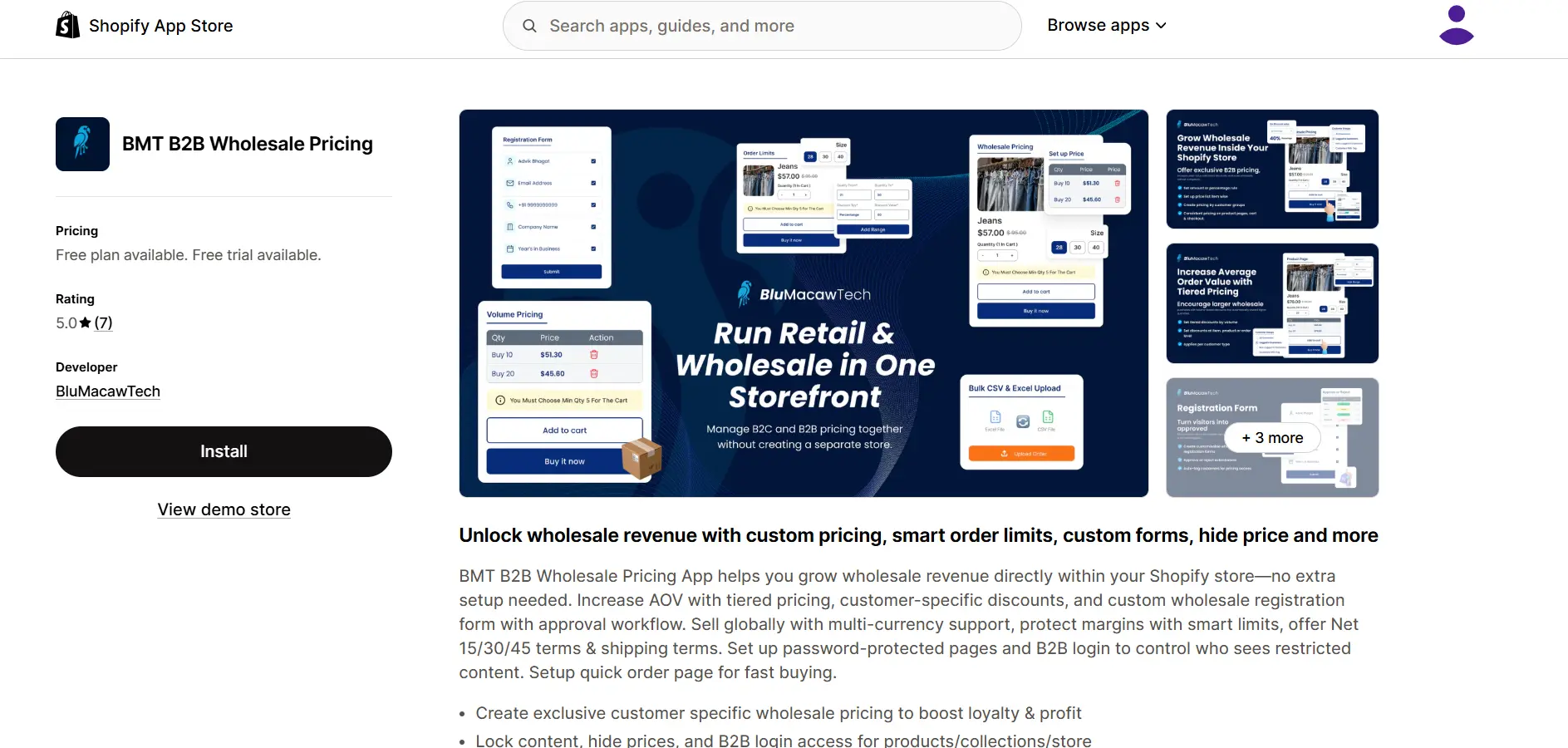
BMT's Shopify App Store listing says the app supports custom wholesale registration forms with approval workflow, tiered pricing, customer-specific discounts, multi-currency support, smart limits, Net payment terms, shipping terms, password-protected pages, B2B login access, and quick order pages.
Step 1: Open BMT inside your Shopify admin
After installing BMT B2B Wholesale Pricing, open the app from your Shopify admin. From there, go to the registration form area inside the app. Since app interfaces change over time, the exact label may vary, but the goal is simple: create a new wholesale registration form for B2B buyers.
Step 2: Create your wholesale registration form
Create a form that asks for the information you need to review the buyer. Use fields like:
- Business name
- Contact name
- Email address
- Phone number
- Business website
- Business address
- Tax ID, EIN, or resale certificate
- Buyer type
- Expected monthly order volume
- Product interest
- Notes or message
Do not make every field required. Only require the fields you truly need to approve or reject the buyer. For example, business name, email, location, and resale information may be required. A longer "notes" field can stay optional.
Step 3: Add your pending and approved customer tags
Tags make your approval process easier. Use simple tags like:
b2b-pendingb2b-approvedwholesale-tier-1wholesale-tier-2distributor-usreseller-approved
BMT's app supports registration forms with auto-tagging and manual or tag-based customer approval. A clean tagging structure helps you later assign different prices, discounts, or access rules.
Step 4: Publish the form on a dedicated wholesale page
Create a dedicated Shopify page for the form. Use a URL like:
/pages/wholesale-application
Add a short introduction above the form. Example:
Interested in wholesale pricing? Fill out the form below to apply for a B2B account. We review applications within 1 to 2 business days. Approved buyers will receive access to wholesale pricing, order limits, and available payment terms.
Then embed or publish the BMT registration form on that page.
Step 5: Review new B2B applications
When a buyer submits the form, review the details inside your BMT or Shopify customer workflow. Check:
- Is this a real business?
- Does the buyer fit your wholesale program?
- Did they provide enough information?
- Are they in a region you serve?
- Do they meet your order volume expectations?
If yes, approve the buyer and assign the correct customer tag or wholesale tier. If not, send a polite rejection or request more information.
Step 6: Hide prices from unapproved visitors
This is one of the biggest reasons to use a wholesale app. BMT supports hiding prices and B2B login access for products, collections, or the store. That means you can show regular retail shoppers your normal store while keeping wholesale pricing private.
For example, unapproved visitors can see:
- "Login to view wholesale pricing"
- "Apply for a wholesale account"
- "Wholesale pricing available after approval"
This is better than showing discounted prices publicly.
Step 7: Set wholesale pricing rules
Once the buyer is approved, assign pricing based on their customer tag, group, or rule. You can create rules such as:
- 10 percent off for approved wholesale buyers
- 20 percent off for distributors
- Fixed product pricing for specific customers
- Bulk discounts by quantity
- Customer-specific discounts
BMT's App Store listing mentions tiered pricing, customer-specific discounts, volume discounts, bulk discounts, wholesale pricing, dynamic pricing, and custom discounts.
Keep your pricing structure simple at first. Do not create five buyer tiers unless you actually need five buyer tiers. Start with one or two:
- Wholesale
- Distributor
You can always add more once your wholesale channel grows.
Step 8: Add order limits and payment terms
Wholesale buyers often need different buying rules than retail customers. With BMT, you can set minimum and maximum order limits by quantity or amount. The app listing also mentions quick order pages and Net payment terms on its plans.
Use order limits to protect your margins. For example:
- Minimum order amount: $250
- Minimum quantity: 12 units
- Maximum quantity: based on available stock
- Net payment terms: Net 15, Net 30, or Net 60 for approved buyers
Do not offer Net terms to every buyer immediately. Start with trusted accounts or repeat buyers.
Step 9: Test the complete buyer flow
Before you publish the form publicly, test everything. Create a test buyer account and walk through the full process:
- Submit the wholesale registration form.
- Confirm the pending tag is applied.
- Approve the buyer.
- Confirm the approved tag is applied.
- Log in as the buyer.
- Check that wholesale pricing appears.
- Check that hidden prices stay hidden for unapproved users.
- Add products to cart.
- Test order limits.
- Test checkout.
- Check the approval email.
This is where many stores break. The form works, but the pricing rule does not. The tag applies, but the buyer still cannot see products. The buyer gets approved, but never receives login instructions. Test it like a real buyer before you send traffic to the page.
When BMT is the better option
I would use BMT instead of only Shopify Forms if you want to:
- Approve and manage B2B buyers with registration forms and auto-tagging
- Hide prices from visitors who are not approved
- Lock products, collections, pages, or the full store
- Create customer-specific wholesale pricing
- Set tiered or bulk discounts
- Set minimum or maximum order limits
- Offer Net 15, Net 30, or Net 60 payment terms
- Give wholesale buyers a quick order page
- Run retail and wholesale from the same Shopify store
The biggest difference is this:
- Shopify Forms helps with the application flow.
- BMT helps connect the application flow to pricing, visibility, and wholesale buying rules.
Video walkthrough: how to create a Shopify wholesale registration form using BMT
What to include on your wholesale registration page
Your wholesale page should not be just a form dropped onto a blank page. It should answer the questions buyers already have.
Use a clear headline
Use one of these:
- Apply for a Wholesale Account
- Become a Wholesale Partner
- B2B Account Registration
- Dealer Application
- Reseller Application
For SEO, "Apply for a Wholesale Account" or "Wholesale Registration Form" is usually the clearest.
Explain who the program is for
Example:
Our wholesale program is for retailers, resellers, distributors, and approved business buyers who want access to bulk pricing and B2B order terms.
This helps filter out poor-fit applicants.
Tell buyers what they get after approval
Mention the benefits:
- Wholesale pricing
- Bulk discounts
- Quick ordering
- Private catalog access
- Order limits
- Net payment terms, if available
- Custom shipping terms, if available
Keep this honest. Only mention what you actually offer.
Tell buyers what they need before applying
Example:
Before applying, please have your business name, contact information, website, and resale certificate or tax ID ready.
This reduces incomplete submissions.
Add a pricing visibility note
Example:
Wholesale pricing is visible only after your account is approved.
This protects you and sets expectations.
Add an approval timeline
Example:
We review most applications within 1 to 2 business days.
If your team takes longer, say that. Do not promise same-day approval unless you can actually do it.
Add a login link for approved buyers
Near the form, add: Already approved? Log in here.
This helps returning buyers and reduces support messages.
Common mistakes to avoid
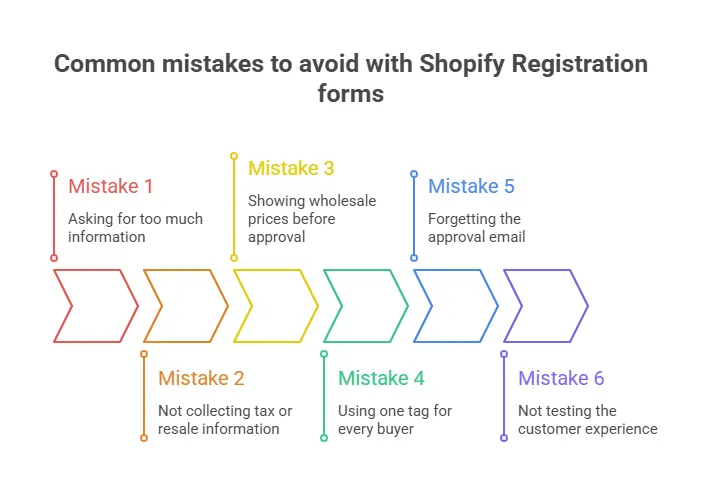
Shopify wholesale registration form checklist
Use this checklist before publishing your form.
- Form page created
- Clear headline added
- Buyer eligibility explained
- Required fields added
- Tax ID or resale field added
- Estimated order volume field added
- Approval timeline added
- Pricing visibility note added
- Pending tag created
- Approved tag created
- Customer segment created
- Wholesale pricing rule assigned
- Hide-price rule tested
- Approval email written
- Rejection or follow-up email written
- Checkout tested as an approved buyer
- Checkout tested as an unapproved visitor
- Mobile layout tested
- Support contact added
Should you use Shopify Forms or BMT?
Use Shopify Forms if you want a native company account request flow and you are comfortable managing B2B approval inside Shopify.
Use BMT B2B Wholesale Pricing if you want the form to connect directly with your wholesale pricing and access rules.
My simple recommendation:
- If you only need applications, start with Shopify Forms.
- If you need applications plus pricing, hidden prices, order limits, quick ordering, and payment terms, use BMT.
For many growing wholesale stores, the app-based route is easier because it keeps the moving parts in one place.
Conclusion
A Shopify wholesale registration form is not just a contact form. It is the front door to your B2B sales process.
The right setup helps you collect buyer details, review applications, approve serious customers, hide private pricing, and give wholesale buyers the right buying experience after approval.
Shopify's native Forms and B2B company account request flow is a good option if you want to keep the process inside Shopify. But if you want registration, approval, auto-tagging, price hiding, customer-specific pricing, order limits, quick order pages, and Net terms in one workflow, BMT B2B Wholesale Pricing is the stronger option.
Start simple. Create the form. Collect the right information. Approve buyers carefully. Test the full flow before launch. That is how you turn wholesale interest into a clean B2B buying experience.
Frequently Asked Questions
Can I create a Shopify wholesale registration form without Shopify Plus?
Yes. You can use Shopify Forms to collect wholesale applications, and you can also use a wholesale app like BMT B2B Wholesale Pricing to create registration forms and manage B2B approval, pricing, and access control. Shopify's native B2B features and limits vary by plan, so check your Shopify plan before choosing the native method.
What fields should I add to a wholesale registration form?
Add business name, contact name, email, phone number, website, business address, tax ID or resale certificate, business type, expected monthly order volume, and product interest. Keep the form focused on information you actually need for approval.
Can I approve B2B customers before they see wholesale prices?
Yes. Shopify's company account request flow creates company records for review, and by default those companies cannot access B2B pricing until approved. Apps like BMT can also help hide prices and manage access for approved buyers.
What is the best URL for a Shopify wholesale application page?
Use a simple URL like /pages/wholesale-application, /pages/wholesale-signup, or /pages/b2b-registration. I prefer /pages/wholesale-application because it is clear and matches how buyers search.
Should I use Shopify Forms or a wholesale app?
Use Shopify Forms if you only need a native company account request form. Use a wholesale app like BMT if you need registration forms, approval workflow, auto-tagging, hidden prices, customer-specific pricing, order limits, quick order pages, and payment terms in one setup.
Set it up in your store
Step-by-step guides for the features covered above.
- Create a wholesale registration form
- Enable registration forms on your store
- Approve or reject wholesale customers
- Configure registration form emails
- Translate your registration form
- Add CAPTCHA to registration forms
Ready to grow your wholesale business?
Install on Shopify