
Free Shopify app
BMT Checkout Rules & Limits
Set rules for what each checkout offers. Hide, sort or rename payment and shipping methods. Block checkout with your own message, for PO boxes, countries you don't ship to or a missing PO number. Set minimums, maximums and pack sizes per product, collection or order, with notes on product pages and in the cart. Rules can use the cart, customer tags and order history, B2B companies, the address, country, language and dates. Try rules in test mode or the simulator before buyers see them.
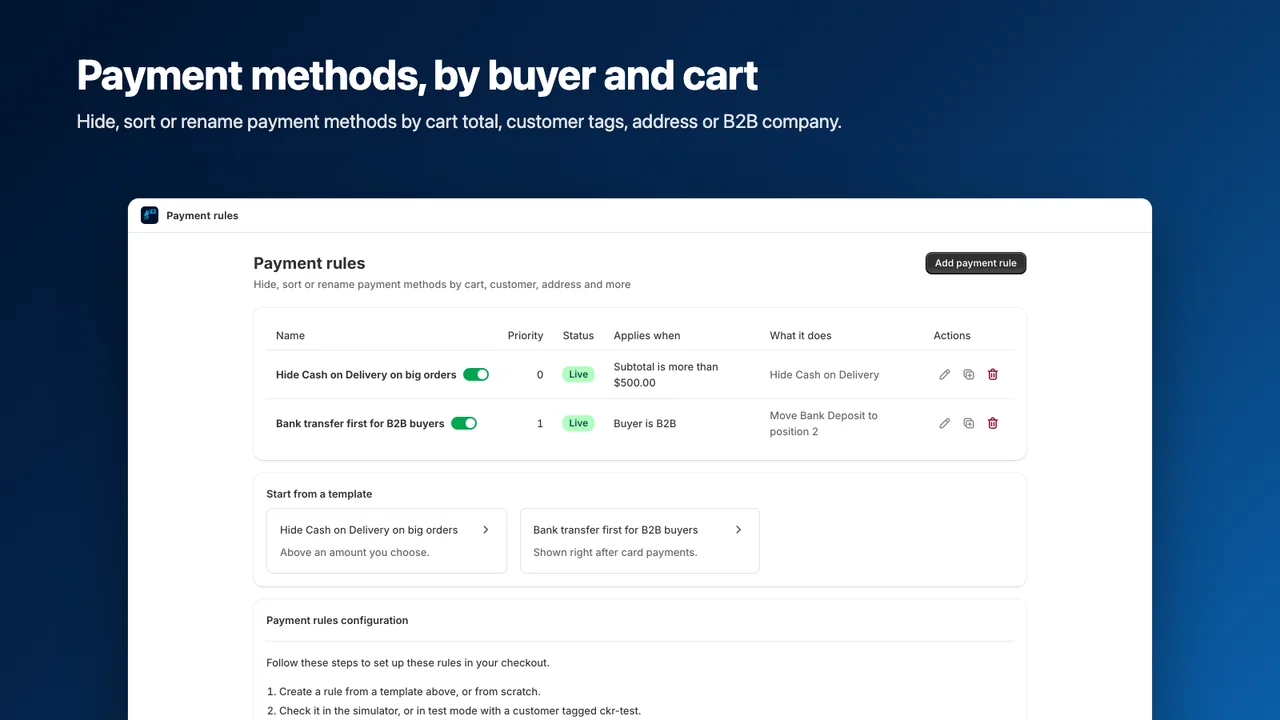
- Hide, sort or rename payment and shipping methods by cart, buyer or address
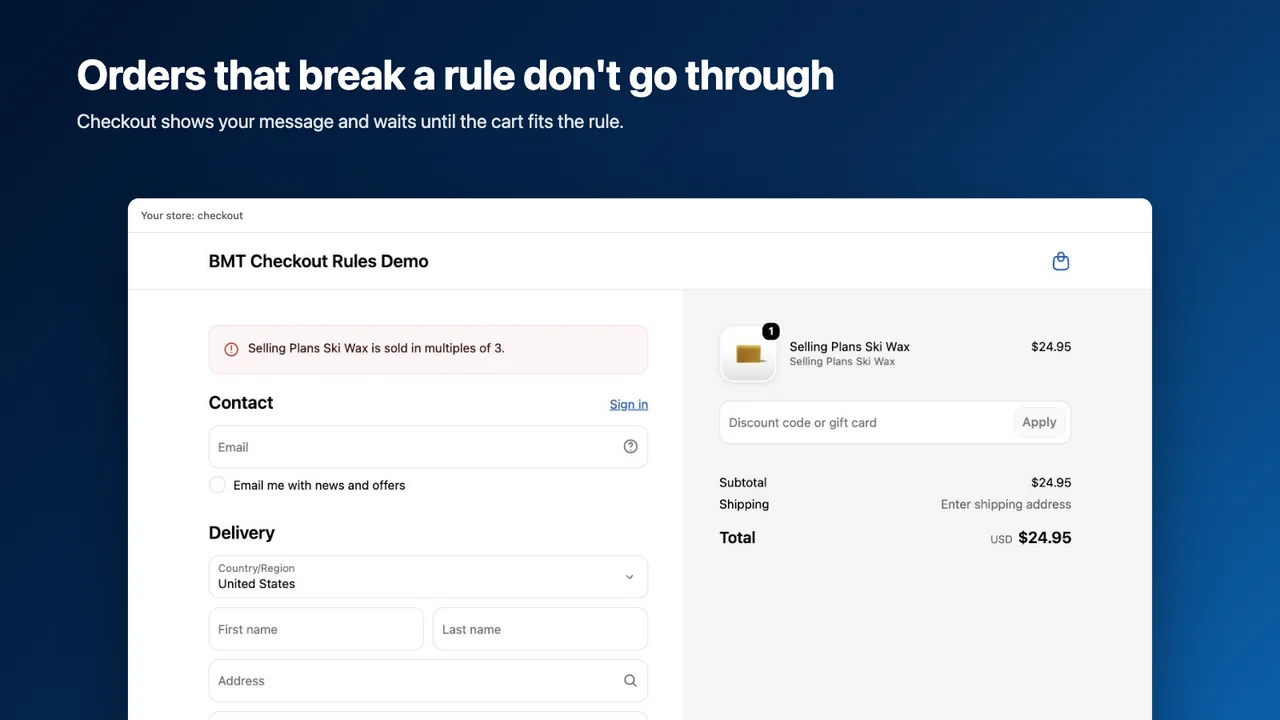
- Block checkout with your message: PO boxes, countries, missing PO numbers
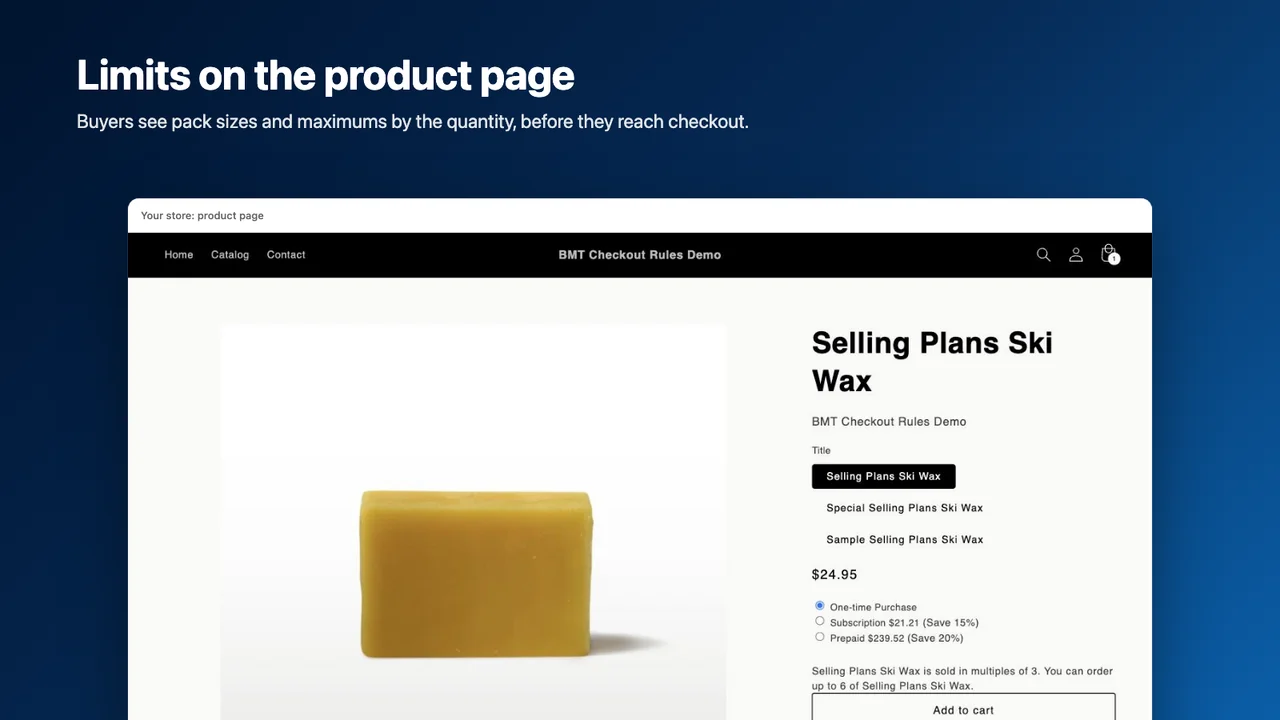
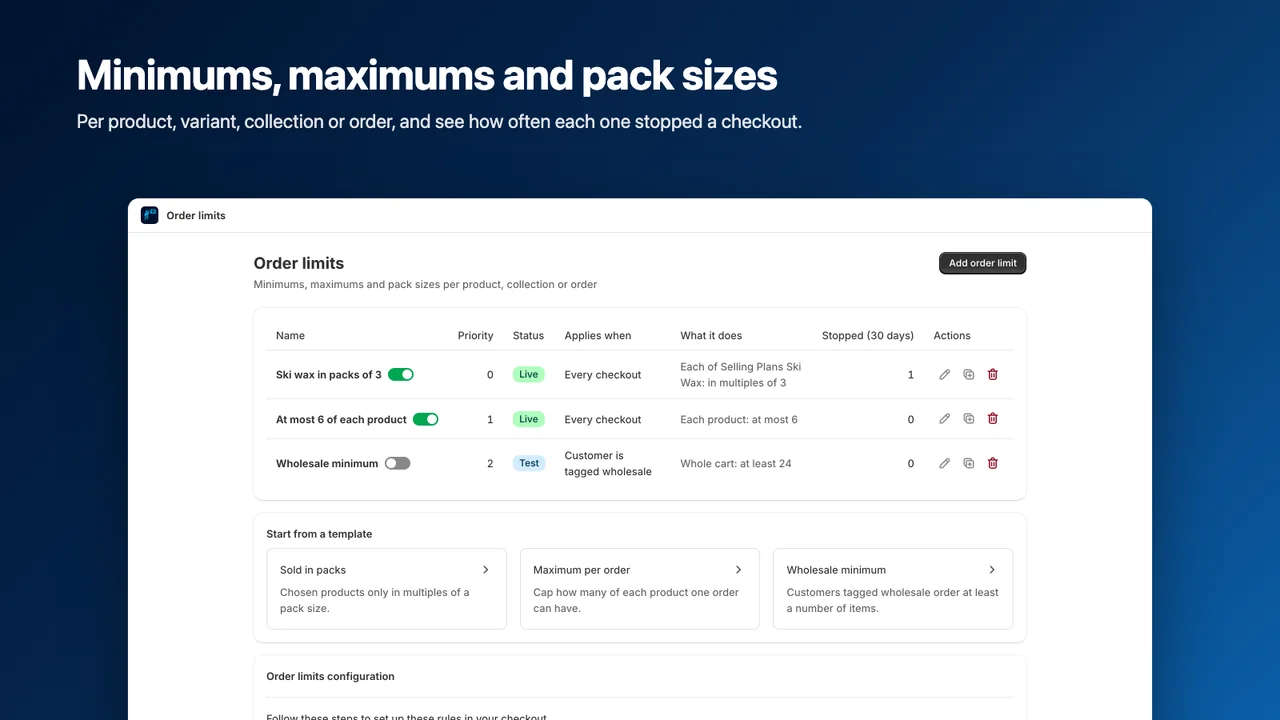
- Order minimums, maximums and pack sizes per product, collection or order
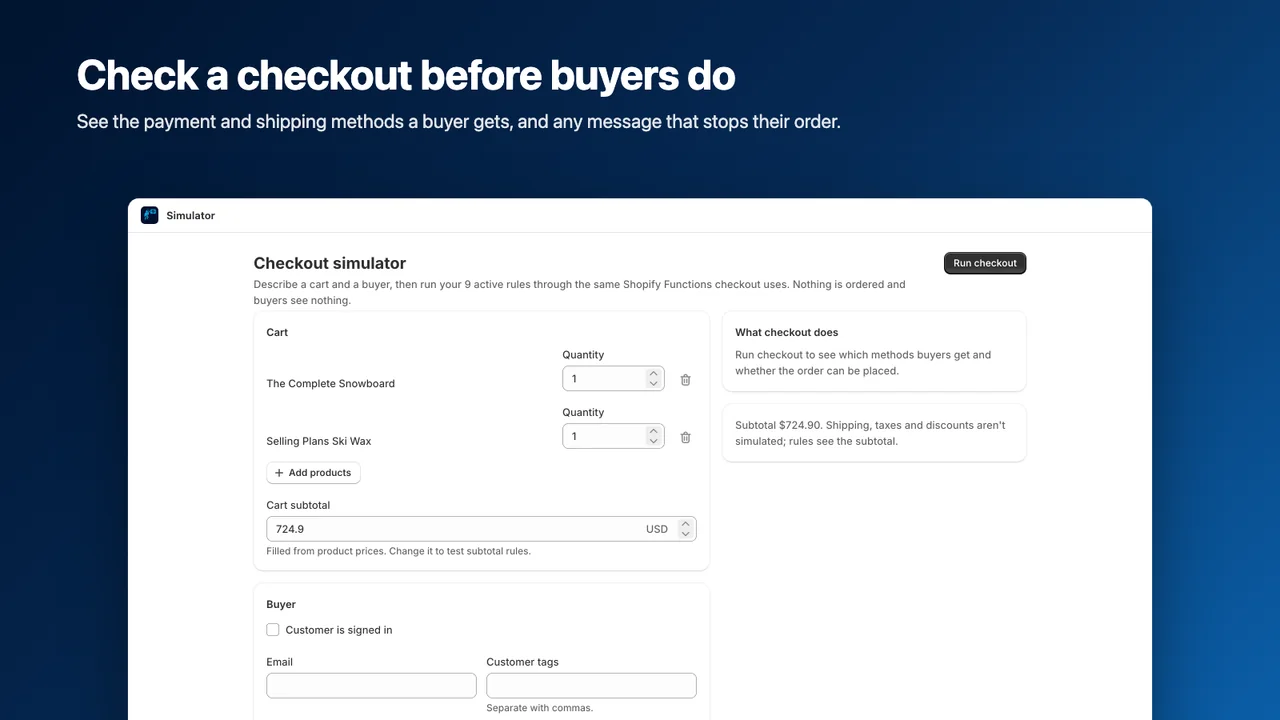
- Run your rules on a sample checkout in the simulator before going live
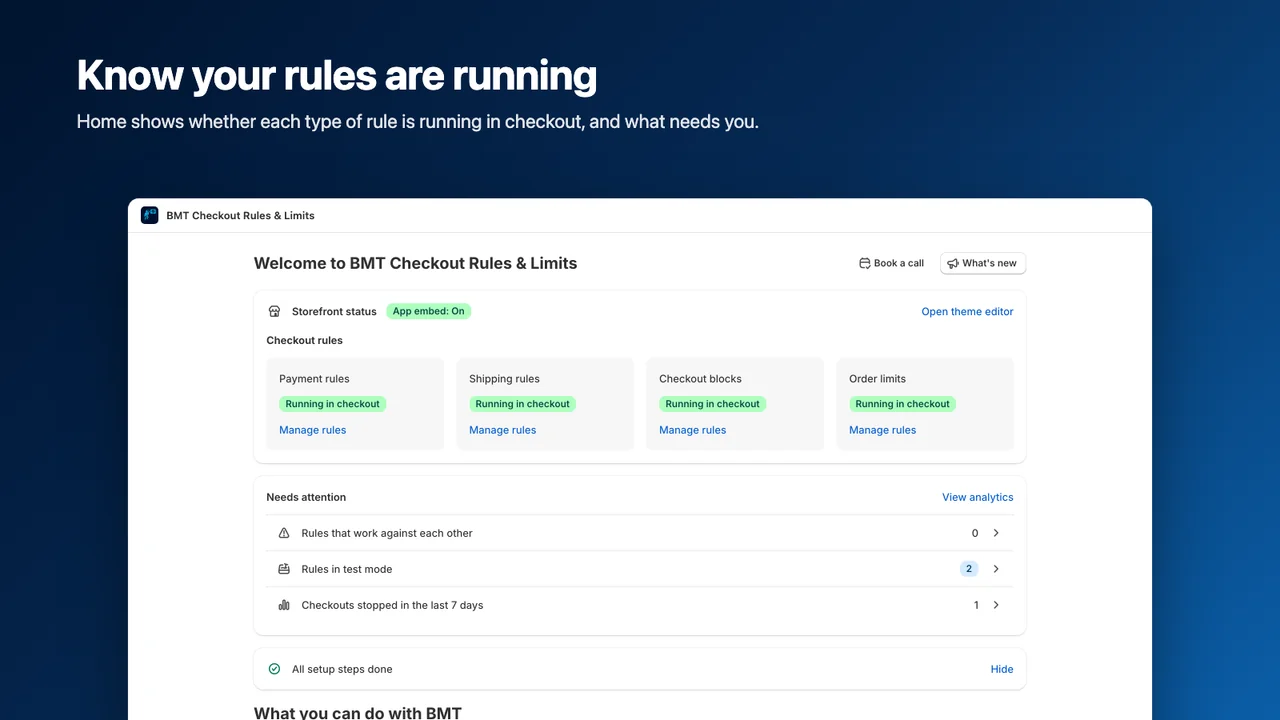
- Test rules on tagged customers, and see which rules stopped checkouts
How it works
Customize payment and shipping
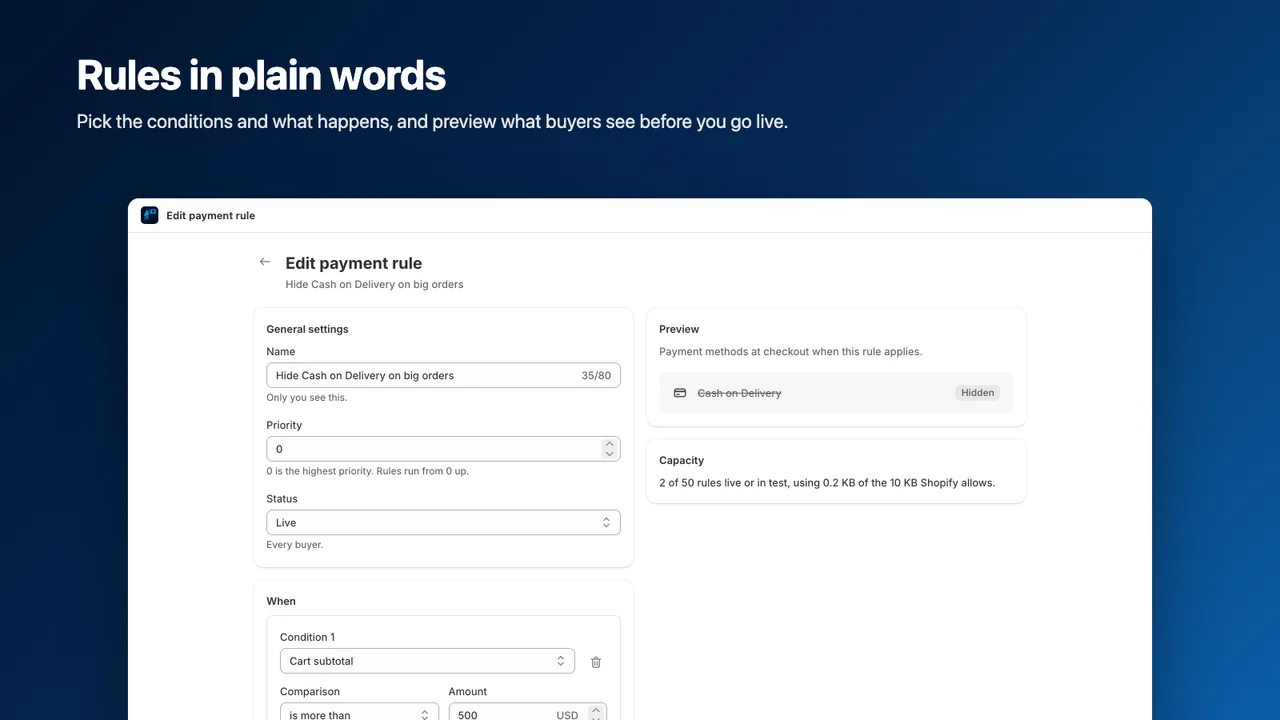
Hide, sort or rename payment and shipping methods based on the cart, buyer or address.
Validate checkout
Block checkout with your own message for PO boxes, countries you don't ship to or missing PO numbers.
Set order limits
Set minimums, maximums and pack sizes per product, collection or order. Show notes on product pages and in the cart.
Test before going live
Run rules against a sample checkout in the simulator, or test them on tagged customers. See which rules stopped checkouts.
Inside the app
Features
Payment & shipping
- Hide, sort or rename methods
- Cart and customer tag conditions
- Order history and B2B companies
- Address, country and language conditions
- Date-based rules
Validation & limits
- Custom checkout blocking messages
- PO box and country restrictions
- Required PO numbers
- Minimum and maximum quantities or values
- Pack sizes by product, collection or order
- Product page and cart notes
Testing & visibility
- Sample checkout simulator
- Test mode for tagged customers
- Review rules that stopped checkouts
Works with
Pricing
Free
Languages
English